
Ricerca nei post
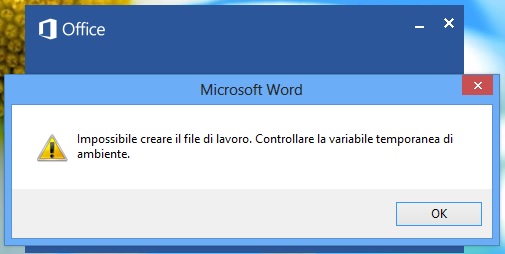
Impossibile creare il file di lavoro Office 2007
Avviando il vostro Word 2010/2007 vi siete ritrovati al cospetto del messaggio di errore “Impossibile creare il file di lavoro. Controllare la variabile temporanea di ambiente”? Probabilmente avete usato qualche programma per cancellare file temporanei che non ha fatto un buon lavoro ed ha sballato le impostazioni relative alle cartelle TEMP di Windows. In ogni caso, non preoccupatevi. Basta dire nuovamente a Windows qual è la cartella in cui conservare i file temporanei e tutto tornerà a funzionare come prima: niente più messaggi di errore all’avvio di Word e niente più problemi sparsi nel celebre programma di videoscrittura [...]
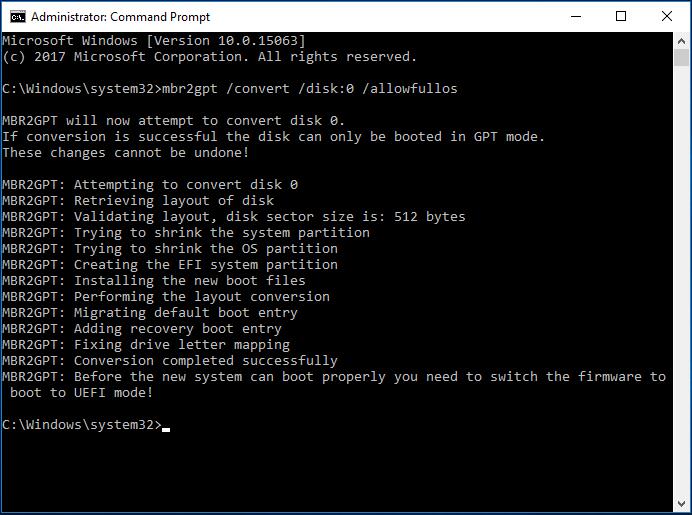
MBR to GPT conversion (LEGACY to UEFI)
Se hai la necessità di convertire un disco da GPT a MBR ed avviare il PC da LEGACY (o CSM) a BIOS UEFI, prima di tutto controlliamo di avere Windows avviato in legacy avviando msinfo32 Annotiamo la voce a destra della "Modalità BIOS", se è LEGACY proseguiamo con gli step successivi. Individua il disco contenente l'installazione di Windows con i seguenti comandi: Start > Esegui > cmd Diskpart > Invio List disk > Invio Apri un cmd e digita il seguente comando mbr2gpt /convert /disk:0 /allowfullos dove 0 è l'ID del disco trovato in precedenza con diskpart. [...]

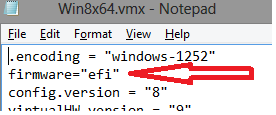
How to enable UEFI in VMWare Workstation
VMWare Workstation 8, 9, and 10 support booting to a UEFI environment. What you need to do to enable UEFI in your VMWare machine? Create a new virtual machine Open the .VMX file of your virtual machine in Notepad (or similar) and add the following line to it: firmware="efi" Save the .VMX file. In addition, order to be able to select network boot, it is advisable to add a boot delay to the startup of the virtual machine. This can be done by adding the line "bios.bootdelay = 5000" (time is in milliseconds)
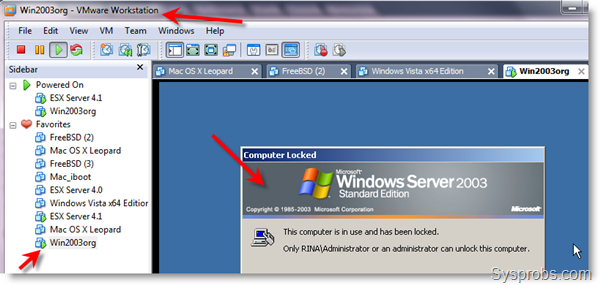
ESXi 6.5 VM Fails to Power On
I ran into a situation where the host had crashed because of a driver problem (vmw_ahci). After changing the driver and rebooting the host, one of the guest VMs then failed to power on with the following errors: File system specific implementation of LookupAndOpen[file] failed Object type requires hosted I/O Cannot open the disk ‘…vmdk’ or one of the snapshot disks it depends on. Module ‘Disk’ power on failed. Failed to start the virtual machine. The solution was to repair the disk using vmkfstools. This particular VM was split into two files, vmname.vmdk and vmname-s001.vmdk. You will want to perform the commands on [...]
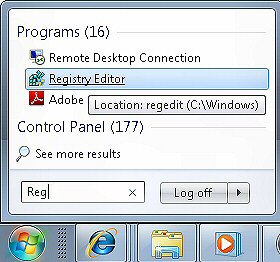
Run as admin any program
Open the registry editor (REGEDIT.EXE) and navigate to the following directory:HKEY_CURRENT_USER\Software\Microsoft\Windows NT\CurrentVersion\AppCompatFlags\Layers\Simply add a new string value, paste the full path to the executable in the name field (such as c:\windows\system32\cmd.exe), and then edit the value with ‘RUNASADMIN’.