
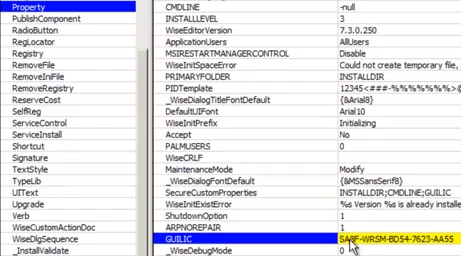
Editing the MSI using a free editor: Webroot recommends a third party editing tool called ORCA MSI Editor.
- Insert the keycode using an MSI editor
- Right-click the SecureAnywhere MSI and select "Edit with Orca"
- Inside Orca, scroll to the Property table and click on the "GUILIC" field and enter your keycode without spaces
- Click "Save"